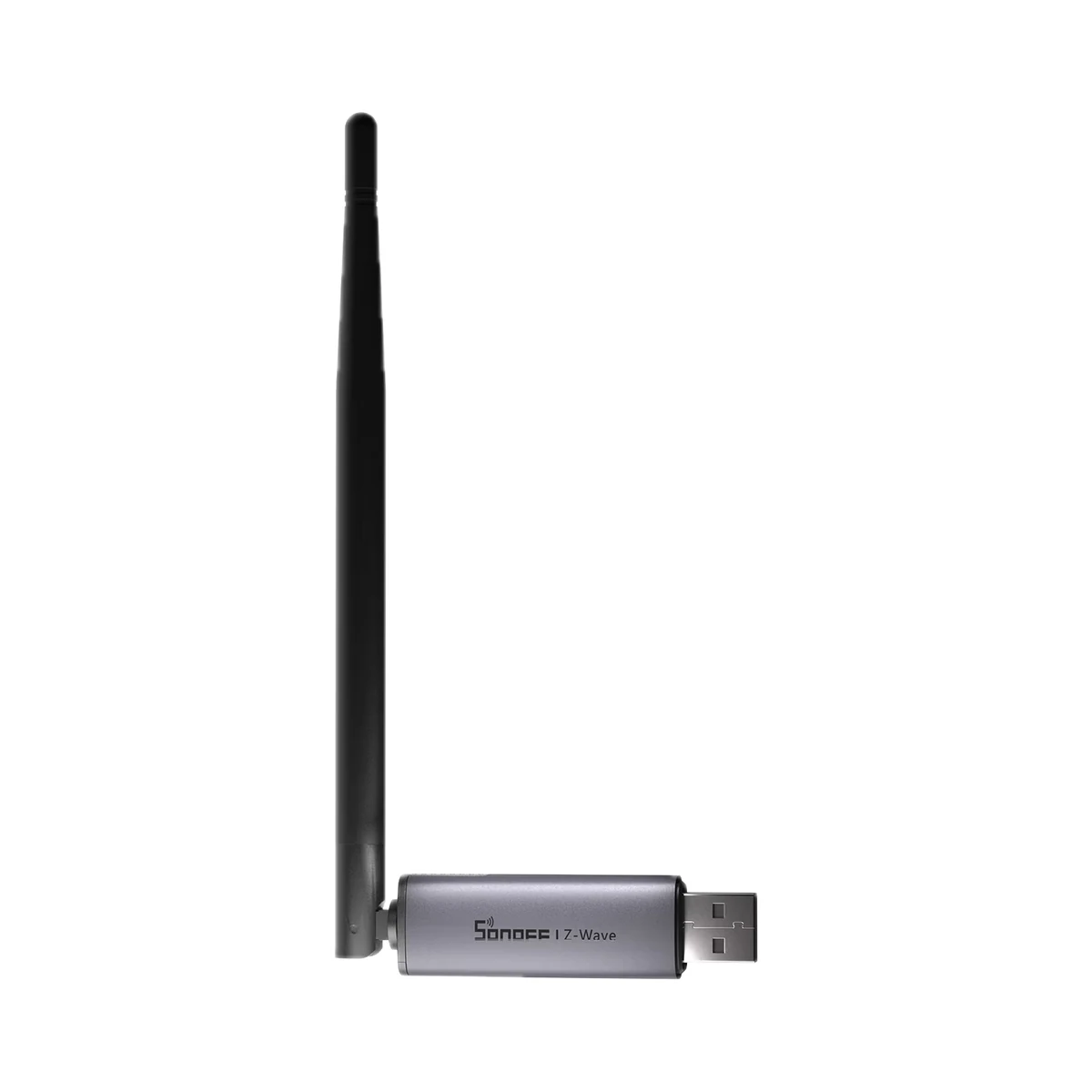
USB coordinators
Sonoff Z-Wave 800 Dongle Plus (Dongle-PZG23) USB coordinator for Home Assistant
- Radio chip
- Silicon Labs EFR32ZG23 (Z-Wave 800)
- Antenna
- External, fixed (folding)
- Compatible software
- Z-Wave JS, openHAB
1,299 MDL
In stock
Sonoff · Dongle-MZG23
Silicon Labs EFR32ZG23 (Z-Wave 800) · Z-Wave JS, openHAB
Manufacturer images
Sonoff Dongle Max (Dongle-MZG23) Z-Wave 800 network controller for Home Assistant via Z-Wave JS. Power: 5 V ⎓ 1 A via USB Type-C or 48 V ⎓ 0.25 A via PoE; colour: dim grey.
35 specifications from manufacturer documentsWe deliver across Moldova. Availability, delivery timing and cost are confirmed with a manager before order fulfilment.
The right choice starts with specifications
Document model: Dongle-MZG23
Specifications checked against the linked manufacturer documents.Checked 18 October 2026
Connectivity — what it meansThe wireless link or network the device uses. Wi-Fi connects straight to the router; Zigbee, Thread and Bluetooth Mesh work through a hub or gateway. | Z-WaveZ-Wave 800 with Z-Wave Long Range and S2 security. The frequency depends on the region (860–930 MHz); in Europe it is 868.4 / 869.85 MHz, so Z-Wave devices must match your region's frequency. Wi-Fi is only used for the server link [1] |
|---|---|
Number of radios — what it meansHow many independent radio chips are inside. With two, Zigbee and Thread run at the same time, each on its own channel; with one, the protocol is chosen by firmware. | 1The Z-Wave radio is the EFR32ZG23. The second chip, an ESP32, only handles Wi-Fi and Ethernet for the server link [2] |
Radio chips — what it meansThe radio chip model (both chips on dual-radio models). It determines the available firmware, support in Zigbee2MQTT and ZHA, Thread capability and memory headroom for large networks. Texas Instruments (CC) and Silicon Labs (EFR32) chips use different firmware and update methods. | Silicon Labs EFR32ZG23 (Z-Wave 800)EFR32ZG23 (512 KB flash, 64 KB RAM, ARM Cortex-M33 core). Wi-Fi/Ethernet bridge: ESP32-D0WDR2-V3; USB-UART converter: CP2102(N) [2] |
Connection to the server — what it meansHow the coordinator talks to Home Assistant or another server. With Ethernet and PoE it can sit in the middle of the house, far from the server; Wi-Fi needs no cable but depends on wireless quality; USB plugs straight into the server. | Ethernet, PoE (power and data on one cable), Wi-Fi, USBIf both Ethernet and Wi-Fi are connected, Ethernet takes priority. Wi-Fi is 2.4 GHz only. The web console is only available over Ethernet or Wi-Fi [3] |
Compatible software — what it meansWhich smart-home software the coordinator works with according to the maker's documentation: ZHA and Zigbee2MQTT for Zigbee, OpenThread Border Router for Thread, Z-Wave JS for Z-Wave. The coordinator only works together with such software on a server or mini PC. | Z-Wave JS, openHAB [1] |
Transmit power — what it meansThe coordinator's maximum radio output. Higher power gives a steadier link to distant devices, but range in a home depends more on walls and the number of routers in the network. | 20 dBmMaximum per the hardware specification, plus 2 dBi antenna gain [2] |
Antenna — what it meansAn external detachable antenna can be turned or replaced with another; an internal one sits inside the housing. The antenna gain (dBi) is in the note. | External, detachableTwo external adjustable antennas; the user screws them onto the ends of the housing (included). Gain: 3 dBi on the product page, 2 dBi in the hardware specification [5] |
Home Assistant — what it meansHow the device connects to Home Assistant: a built-in integration, a Zigbee coordinator, Matter or the maker’s cloud integration. | Native integrationThrough the built-in Z-Wave JS integration. Two Z-Wave adapters cannot share one integration; a second one needs a separate integration such as Z-Wave JS UI. The dongle's own status can be shown in Home Assistant via MQTT [1] |
Max connected devices — what it meansHow many devices can run on this coordinator's network according to the manufacturer. If the figure is for direct connections and the network grows through routers, this is noted. | Not stated by the manufacturer |
Wireless range — what it meansThe stated radio range, usually in open space. Walls and floors cut it noticeably. | 300 mZ-Wave mesh, open space with direct line of sight. With Z-Wave Long Range devices: up to 1000 m line of sight, point-to-point [2] |
| Wi-Fi | IEEE 802.11 b/g/n, 2.4 GHz [1] |
| Ethernet port | RJ45Port speed is not stated [1] |
| Ports and slots | USB Type-C [1] |
Processor / radio chip — what it meansThe microcontroller or radio module inside, per the maker (for example ESP32). For firmware such as WLED and ESPHome it determines available features and whether the device can be re-flashed. | EFR32ZG23 (Z-Wave) + ESP32-D0WDR2-V3 (Wi-Fi/Ethernet); USB-UART: CP2102(N) [2] |
| Radio chip memory | 512 KB flash, 64 KB RAM [8] |
| Radio frequencies and transmit power | 860–930 MHz, region-dependent; Europe: 868.4 / 869.85 MHz (mesh), 864.0 / 866.0 MHz (Long Range)US: 908.42 / 916 MHz (mesh), 912 / 920 MHz (LR); Australia: 919.8 / 921.4 MHz [2] |
| Z-Wave Long Range distance | 1000 mIn open space, with direct line of sight [2] |
| Z-Wave security | S2 [1] |
| Output power (EU documents) | Wi-Fi ≤ 20 dBm, Z-Wave ≤ 14 dBm [9] |
Number of antennas — what it meansHow many antennas the device has; whether they are external or built-in and how they are split between bands is in the note. The antenna count alone is not the same as coverage, which also depends on transmitter power, walls and placement. | 2 [1] |
| Supported operating systems | Windows, Ubuntu, Raspberry Pi OS, Docker [2] |
Operating modes (firmware) — what it meansWhich role the radio can take with the maker's official firmware: a Zigbee coordinator creates and runs the network, a Zigbee router only extends an existing one, a Thread radio (RCP) works with an OpenThread border router, and MultiPAN runs Zigbee and Thread on one chip at once. | Z-Wave controllerOnly SONOFF-provided firmware can be installed; updates come from the web console (with automatic updates), the SONOFF Dongle Flasher web tool or the Home Assistant add-on [4] |
|---|---|
Management and updates — what it meansWhat is available for managing the coordinator itself: a web interface in the browser, firmware updates over the network without removing the device, VPN for remote access. | Web interface, firmware updates over the network, VPN (e.g. WireGuard)Local web console (Dongle-MZG23.local); firmware updates from the web console, with automatic updates; WireGuard VPN for remote access [6] |
| Additional functions | Webhooks (backups and alerts), MQTT, Wi-Fi access point, gateway for eWeLink-Remote remotes, Wi-Fi channel energy scan, IP whitelist, backup and restore [6] |
Power source — what it meansWhere the device gets its power: 230 V mains, an adapter, USB, batteries or a built-in battery. | PoE (over Ethernet), USBPoE: 48 V ⎓ 0.25 A via the RJ45 port; USB-C: 5 V ⎓ 1 A from an adapter or the server's USB port. The maker does not state the PoE standard (802.3af/at) [1] |
|---|---|
Rated power — what it meansThe rated or maximum power draw from the spec sheet. It sets the load on the socket and the energy use. | Not stated by the manufacturer |
Supply voltage — what it meansThe supply voltage (and current, if stated) as the maker gives it. It must match your mains or adapter. | 5 V ⎓ 1 A (USB-C) or 48 V ⎓ 0.25 A (PoE) [1] |
Standby power — what it meansHow much power the device draws on its own while idle. It matters for devices that run around the clock. | 0.06 WStated as 60 mW [2] |
Mounting — what it meansHow and where it is installed: in a wall box, on a wall or ceiling, on a DIN rail, on a table or in a socket. | On a table or shelf, adhesive tape, screw-fixed (surface)On a table or shelf, with double-sided tape, or on a screw-fixed bracket (bracket, screws and tape included). The maker also provides 3D-printable stand files [5] |
|---|---|
Dimensions — what it meansThe device’s size in millimetres as the maker states it. Check that it fits the wall box, niche or shelf. | 169 × 32.5 × 22 mmHousing without antennas; height with the antennas upright is 175 mm (maker's drawing) [2] |
Weight — what it meansThe device’s weight without packaging, per the maker. | 102 gNet weight per the maker's catalogue; whether the antennas are included is not stated [7] |
| Housing material | Aluminium alloy, PC+ABSThe aluminium housing passed a 24-hour salt-spray test (per the maker) [7] |
Certifications — what it meansStandards and certifications the maker lists for this model (for example CE, RoHS, Zigbee 3.0, Matter). | CE, FCC, RoHSEU declaration of conformity (Directive 2014/53/EU) in the quick guide [7] |
Operating temperature — what it meansThe air temperature range the device is rated for. The lower limit matters outdoors, on balconies and in unheated rooms. | −10…60 °C [2] |
|---|---|
Operating humidity — what it meansThe rated relative humidity range, non-condensing. | 5–95%Relative humidity (RH) [2] |
Colour — what it meansThe housing colour of this model. Other colours in the same series are separate products. | GreyDim gray [1] |
|---|
Package contents — what it meansWhat comes in the box, per the maker. | Z-Wave 800 Dongle Max, 2 antennas, USB Type-C cable (1 m), bracket, 2 screw packs, 2 double-sided tape pads, quick guideThe antennas are listed on the Getting Started page; no PoE injector or power adapter is included [4] |
|---|
The table shows the primary document’s value. Below is what other manufacturer documents state; we check the supplied version’s label before sale.
We deliver across Moldova. Availability, delivery timing and cost are confirmed with a manager before order fulfilment.
A website order is submitted for confirmation without charging your card. The payment method and final amount are agreed with a manager before payment.
The warranty is at least 12 months. The exact period and conditions for equipment and installation work are stated in the sales documents and the accepted proposal. Further support is agreed for each project.
Current conditions are published on the Return policy page. Email office@casasmart.md with your order number for the steps relevant to your situation. Statutory consumer rights continue to apply.
In your home
A fast broadband plan does not fix weak signal through a wall. Several apps do not become one system by themselves. Placement and verified connections matter.
See the complete solution
CasaSmart
USB coordinators
Scene buttons & remotes
Scene buttons & remotes
Wi-Fi routers
Buy just a device, add installation, or hand the whole project over to us.